
Anissa
ViewA complete task and project management platform for running team workflows, from planning and sprints to automations, reporting, permissions, and delivery.
- A workspace for the entire delivery cycle
- Tasks are detailed records of work
- Planning beyond a flat backlog
- Every workspace can define how work moves
- Automations handle the repetitive coordination
- Notifications without losing the signal
- Reports turn activity into an operating view
- Engineering a connected product
- Technologies used
A workspace for the entire delivery cycle
Anissa is the most ambitious product I have built: a complete task and project management platform for teams that need one place to plan work, execute it, and understand what is happening. Rather than stopping at a task list, it connects projects, sprints, milestones, members, permissions, automations, notifications, and reports into one operating system for delivery.
I designed and engineered the product end to end. The work covered the interaction model, information architecture, responsive interface, backend APIs, authorization, asynchronous processing, and the rules that keep changes consistent across a busy workspace.
Tasks are detailed records of work
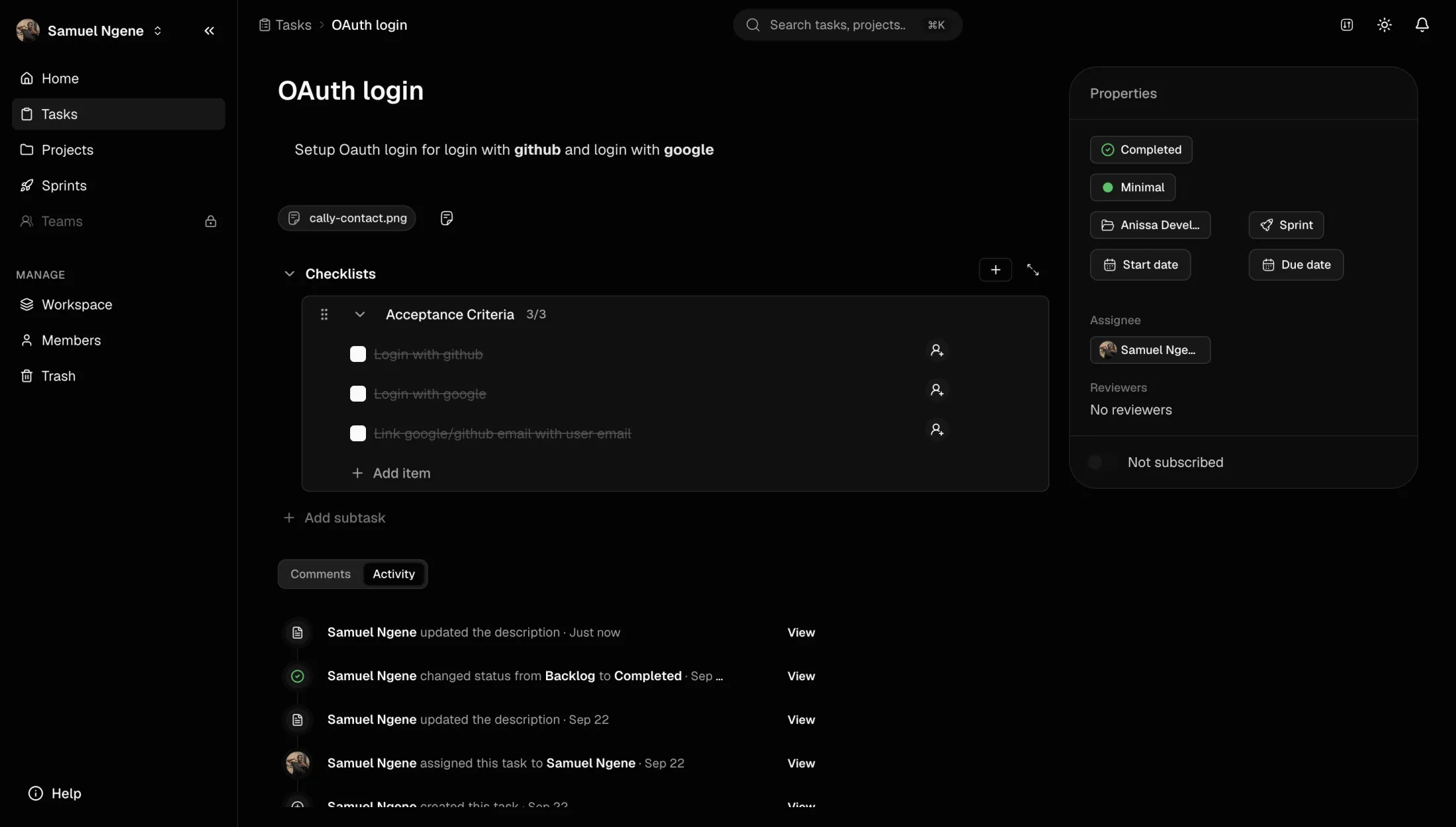
A task can carry the context a team needs to move from an idea to a reviewed result. It supports rich descriptions, attachments, subtasks, reusable checklists, priorities, start and due dates, assignees, reviewers, project and sprint relationships, and a workspace-defined status.
Comments and mentions keep discussion attached to the work. A chronological activity feed records meaningful changes such as assignments, description edits, and status transitions, while subscriptions let members choose which tasks should notify them. Together, these details make the task page both a working surface and an audit trail.
Planning beyond a flat backlog
Projects give related tasks a shared home, while sprints turn a backlog into a time-bounded plan. Teams can organize delivery around milestones, assign ownership, estimate effort, and move work through the stages that match their process.
The lifecycle continues after delivery. Completed or inactive projects can be archived without losing their history, then restored when the work becomes relevant again. The same product therefore supports day-to-day execution and the longer history of a workspace.
Every workspace can define how work moves
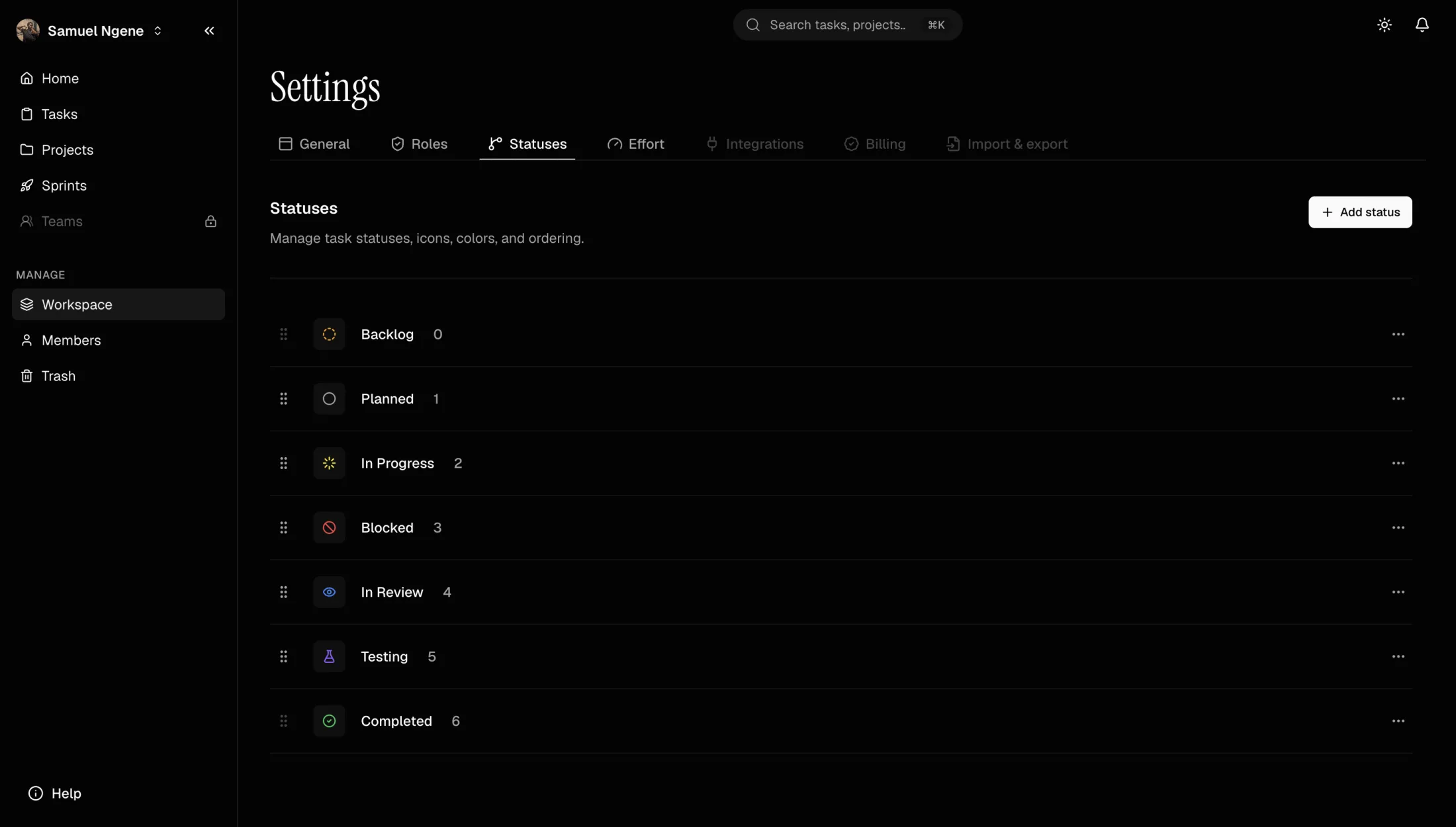
Anissa does not force every team into one fixed workflow. Workspace administrators can create custom statuses, choose their icons and colors, arrange their order, and evolve the workflow as the team changes. Custom effort values provide the same flexibility for estimation, whether a team thinks in points, sizes, or another internal scale.
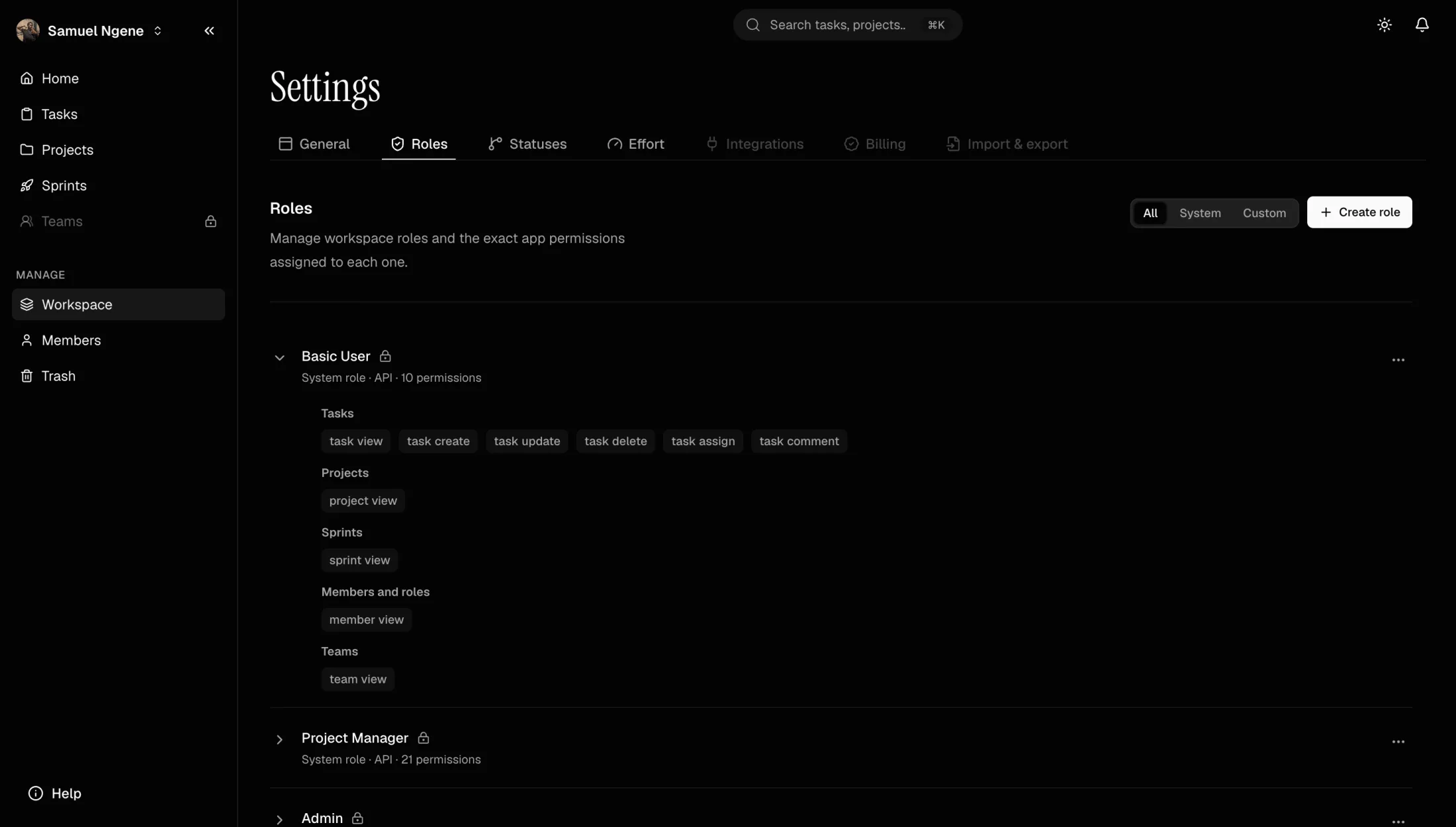
Member access is controlled through roles and granular permissions. Built-in roles provide sensible defaults, while custom roles allow a workspace to decide exactly who can view, create, update, delete, assign, or comment on tasks and who can manage projects, sprints, members, teams, and workspace settings.
Automations handle the repetitive coordination
Automations turn workflow events into actions, reducing the amount of manual follow-up required to keep a project current. They can react to changes in a task or schedule work for later, then update records and notify the right members without holding up the request that triggered them.
I built the asynchronous layer with BullMQ and Redis. Background workers process notifications, reminders, automation runs, and other delayed or retryable jobs away from the main API. This keeps the interface responsive while giving operational work clear retry behavior instead of silently losing it when an external action fails.
Notifications without losing the signal
Assignment changes, mentions, approaching dates, workflow updates, and automation outcomes all compete for attention in a collaborative product. Anissa routes those events through a notification system tied to the affected member and task, so updates lead back to the exact piece of work that needs attention.
Task subscriptions give individuals control over what they follow, while background delivery keeps notification work independent from the interaction that created it. The result is awareness without making every task mutation wait for every downstream message.
Reports turn activity into an operating view
The home dashboard brings together completed and overdue tasks, active projects, member counts, created-versus-completed trends, status distribution, team workload, and workspace health. Date, project, and assignee filters let a manager move from a broad workspace view to the slice of work they need to investigate.
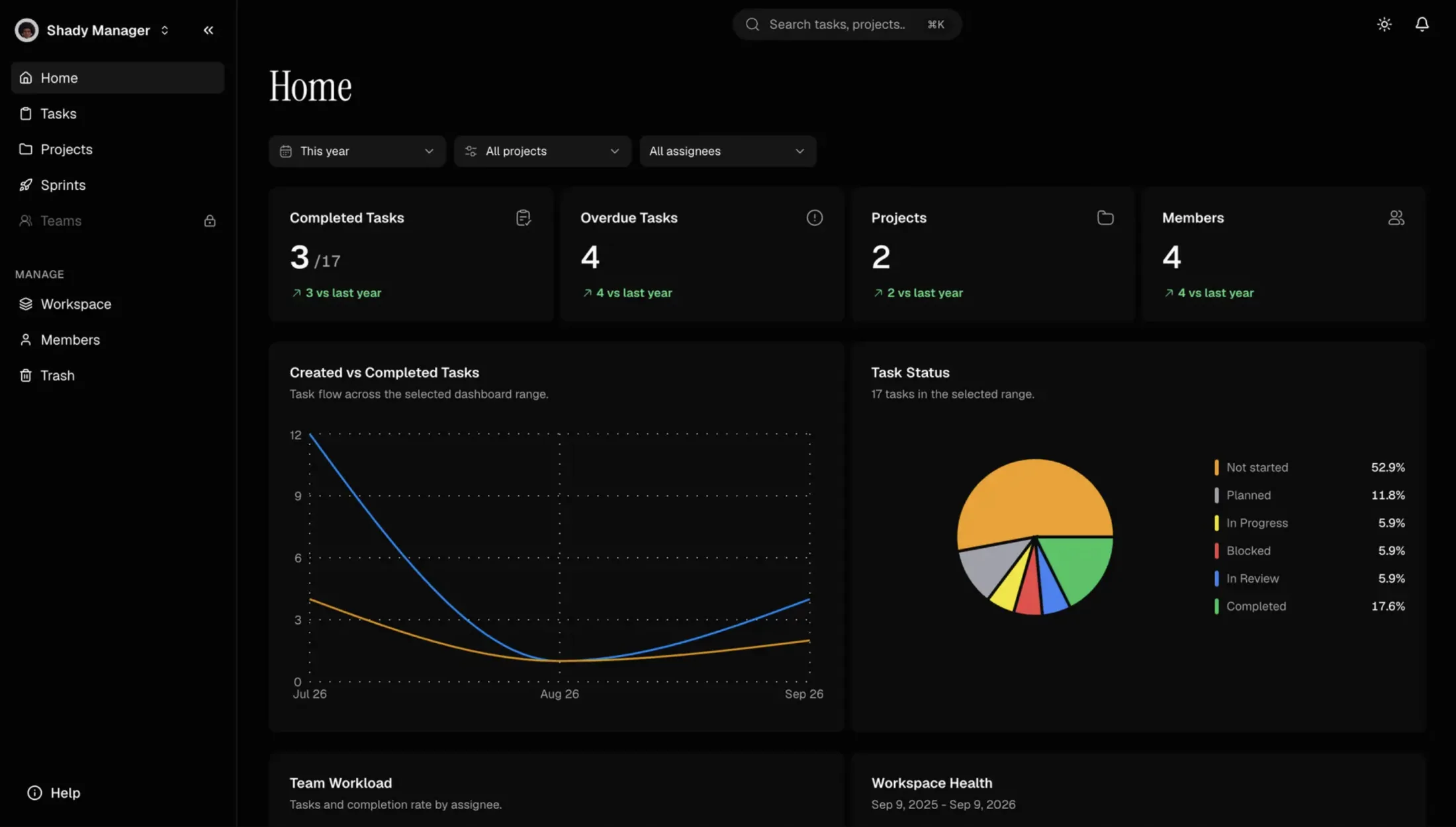
These reports are built from the same project, task, status, effort, and member model used by the operational interface. That keeps reporting connected to real workflow state rather than maintaining a separate, manually updated view of delivery.
Engineering a connected product
The difficult part of Anissa was not implementing each feature in isolation. It was making them behave as one system. A status change can affect a sprint, a report, an automation, an activity record, and several notifications; archiving a project must remove it from active planning without destroying its history; restoring it must make that data useful again under the same permissions.
I used NestJS to organize the backend into focused domains and BullMQ with Redis for work that benefits from queues, delays, and retries. Clear service boundaries keep task mutations, access rules, automation execution, notifications, reporting, and lifecycle operations understandable as the platform grows.
Anissa pushed me to solve the kind of problems that appear only when a product becomes a system: authorization across related resources, reliable background execution, auditability, reversible lifecycle changes, and a UI that can expose substantial capability without making routine work feel heavy.